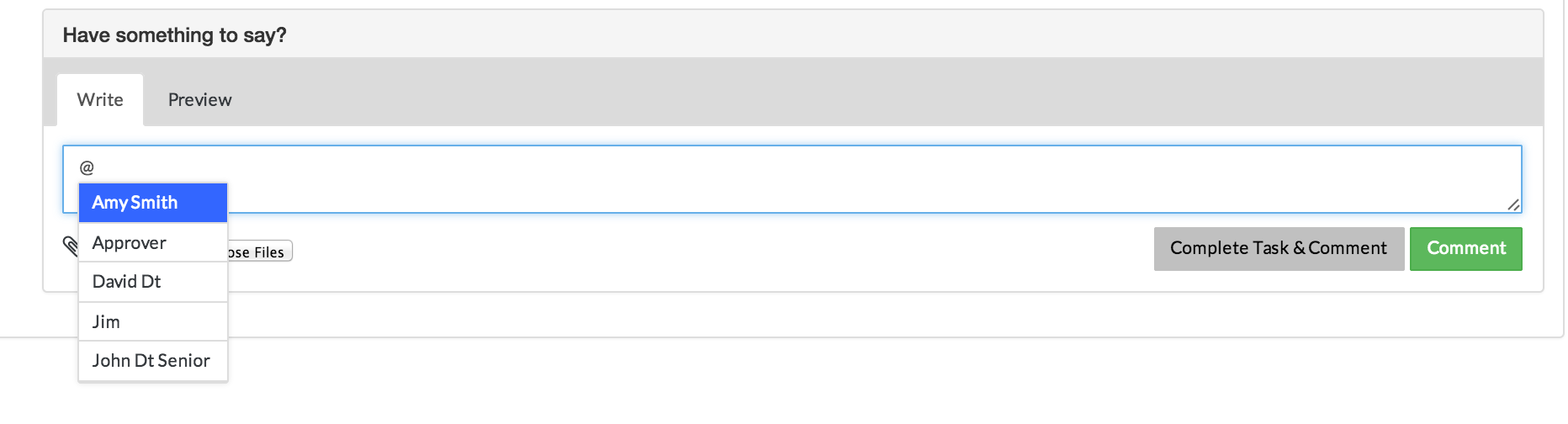
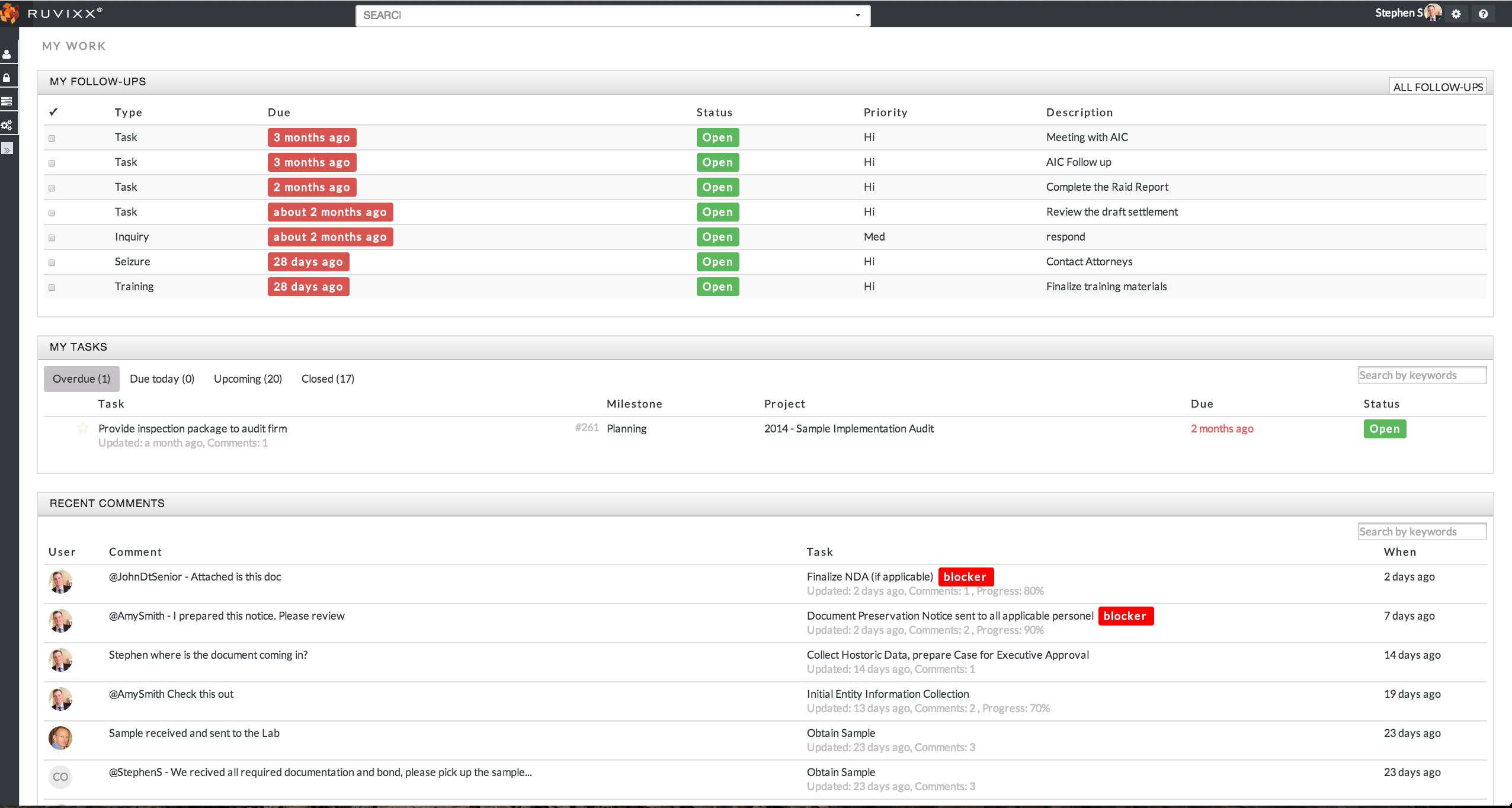
Mentions are a quick way to subscribe a team member to a task. Simply use the "@" sign before a team members username to mention them. Team members mentioned in a task will be notified through an email link that points them to the task when clicked. Alternatively, @ mentioned comments will also show up in the MyWork dashboard under Recent Comments of the associated team member.
My Work Dashboard
Comments