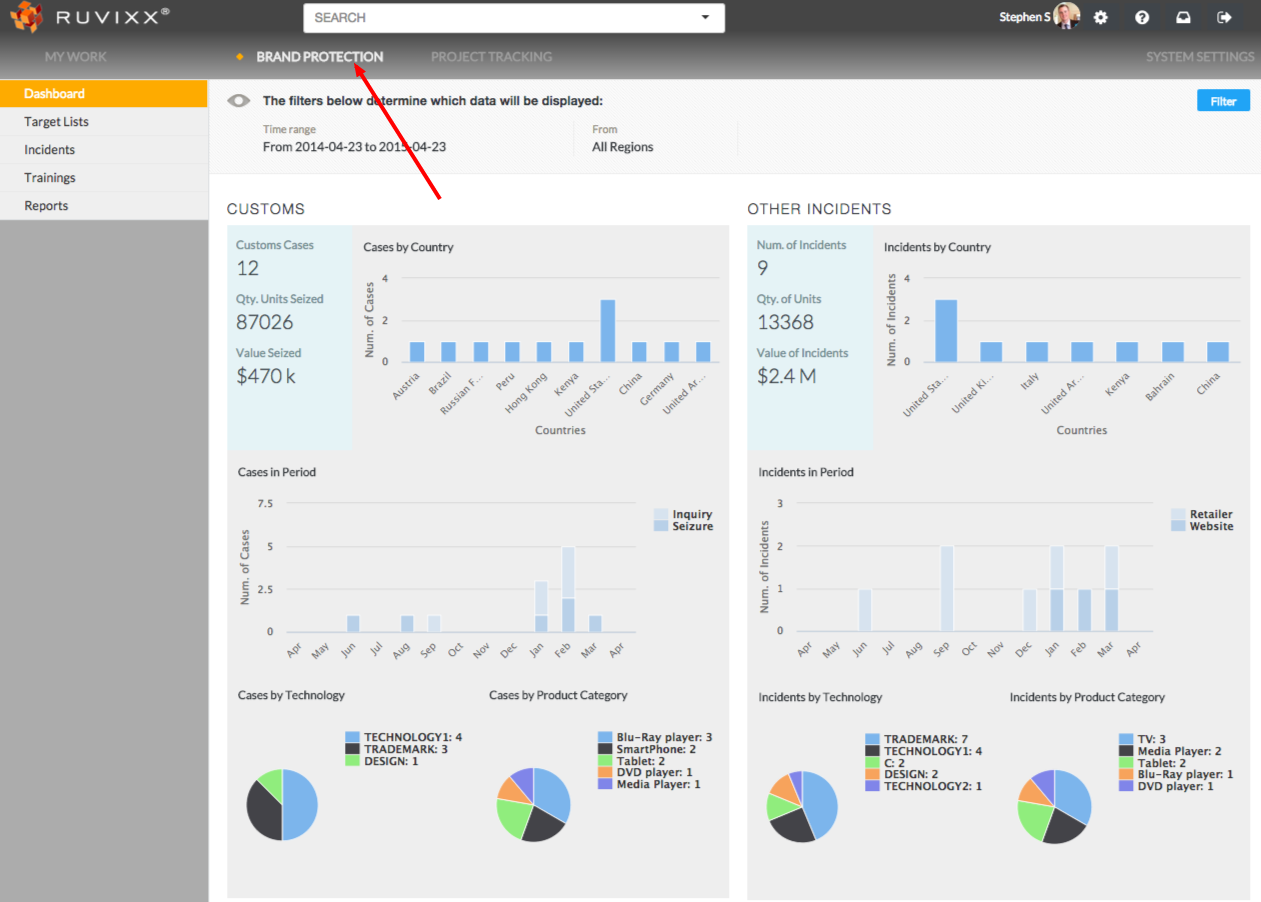
- Click Brand Protection from the top menu
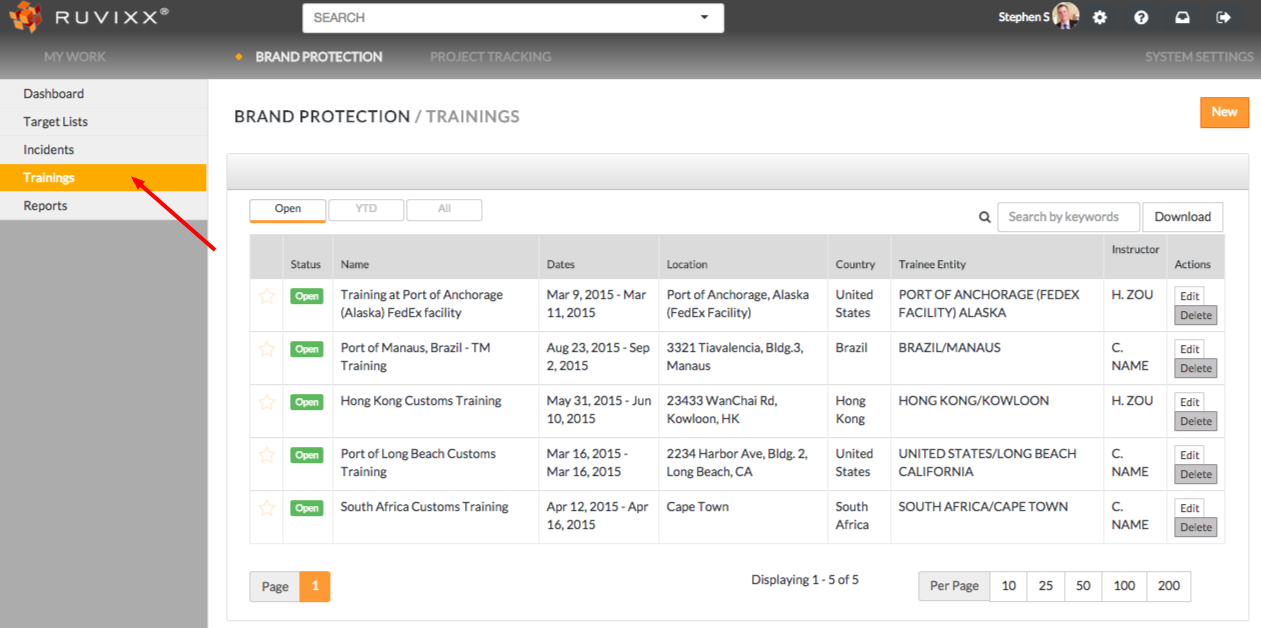
- Click on Trainings from the left hand navigation pane
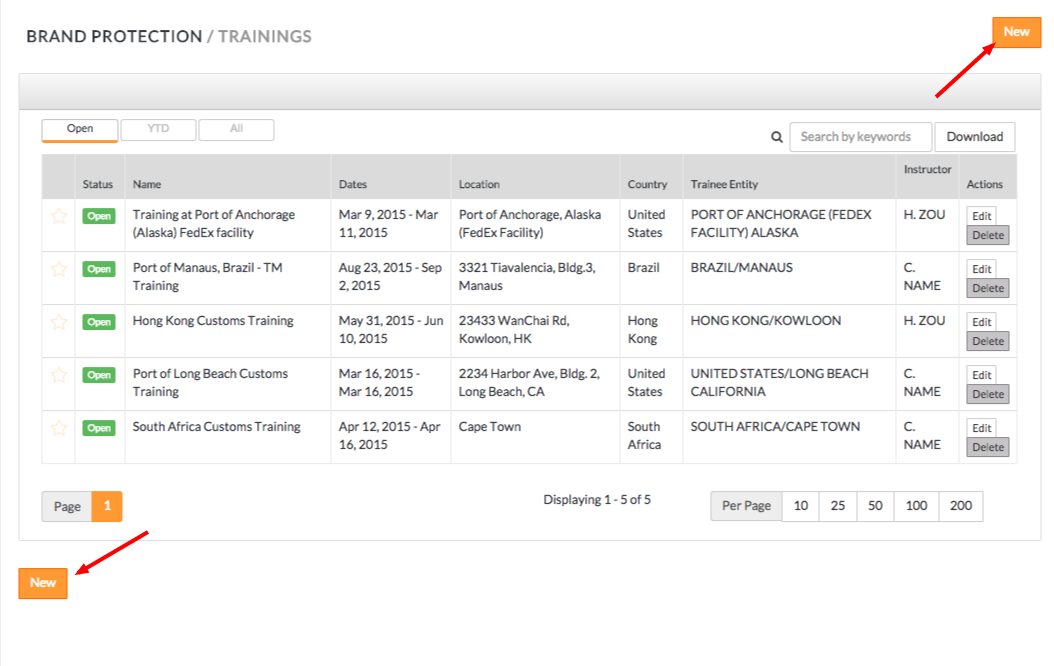
- Click on the orange New button located on either the top right or bottom left of the page
- Fill out all necessary entry fields within the red box in the image below
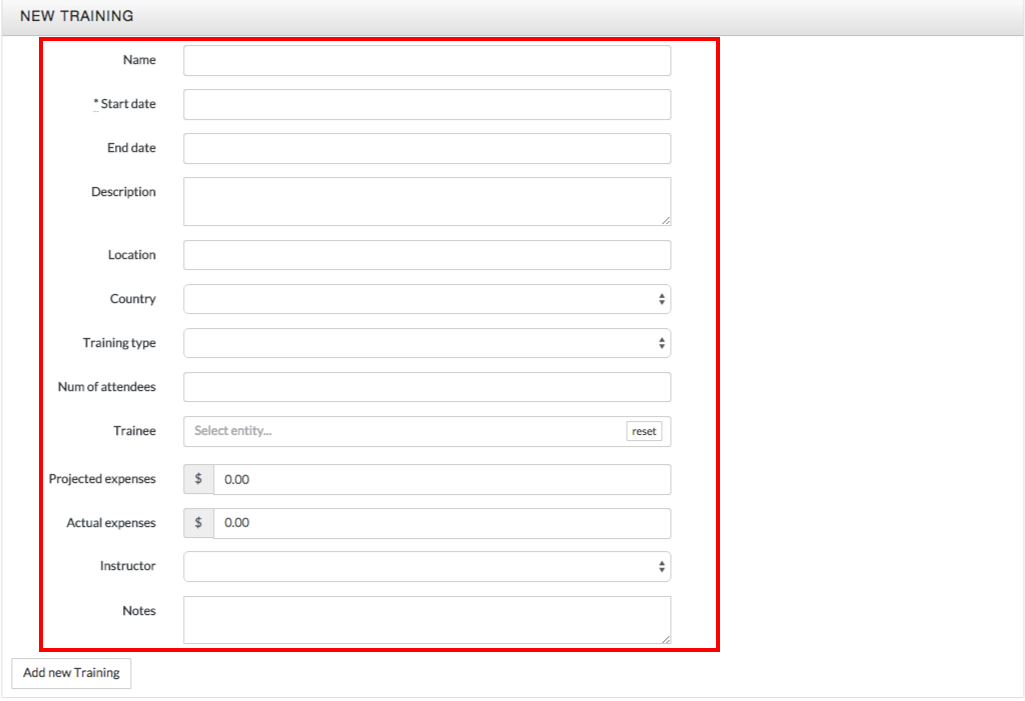
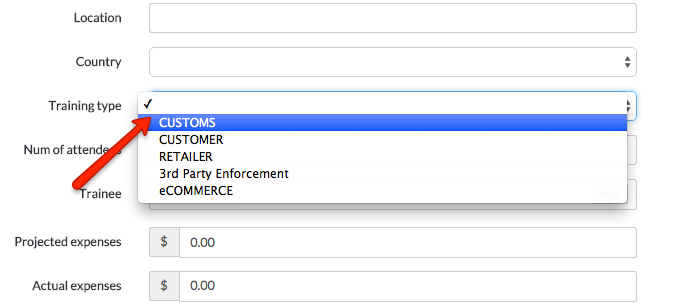
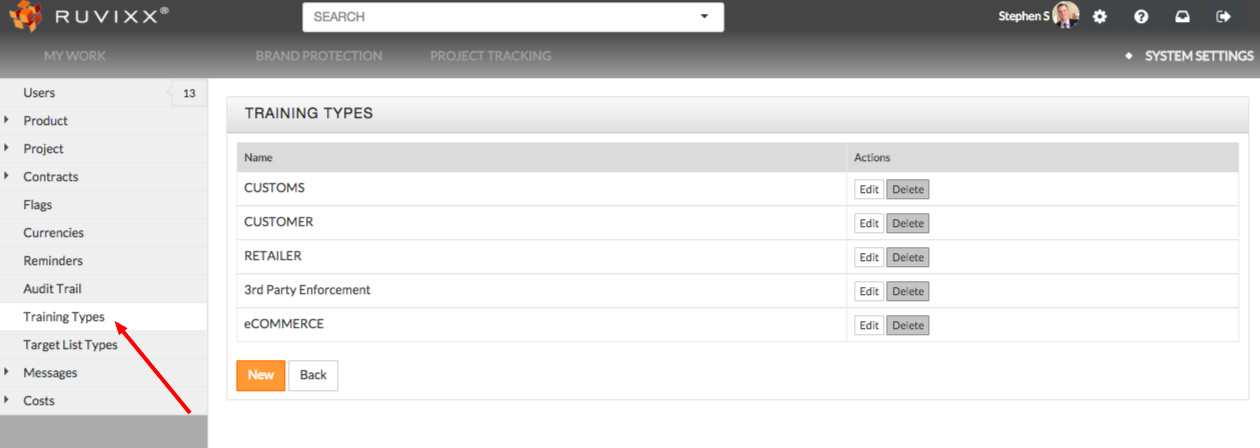
- *Training type drop down menu can be configured by going to System Settings, and clicking on Training Types from left hand side navigation pane
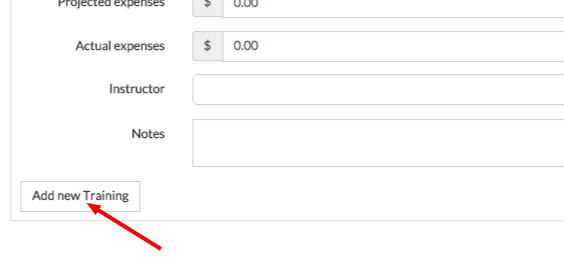
- Click the Add new Training button on the bottom left of the page to create a new training record
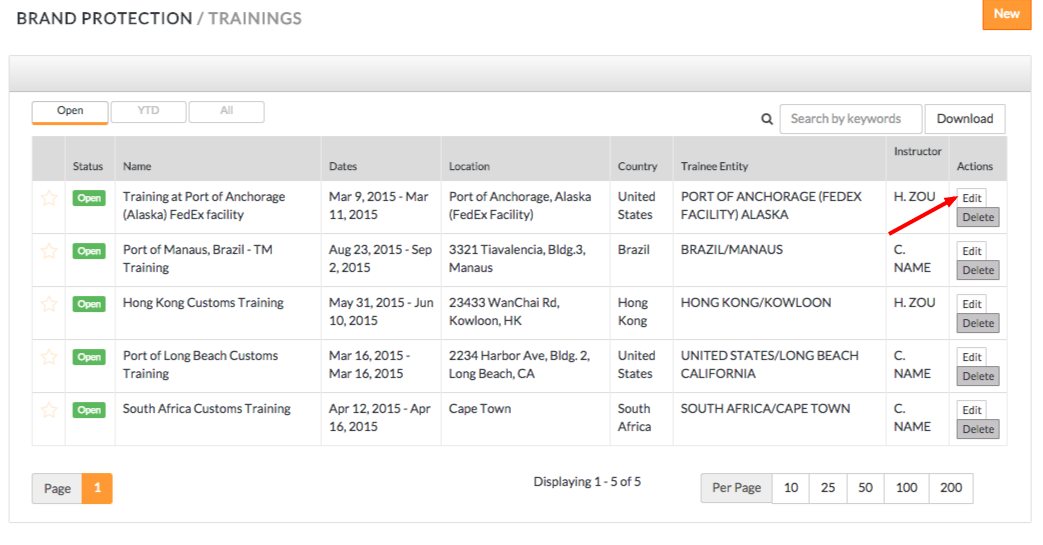
- To edit existing training records, click the Edit button to the right of the corresponding training
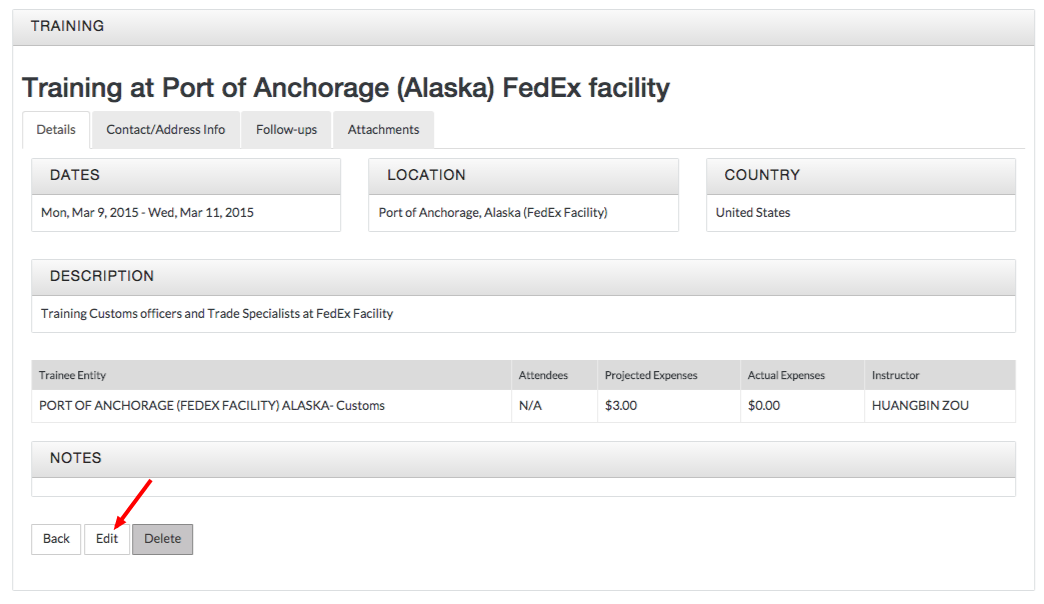
- You can also edit an existing training record by clicking on the existing record and subsequently clicking Edit in the bottom left hand corner
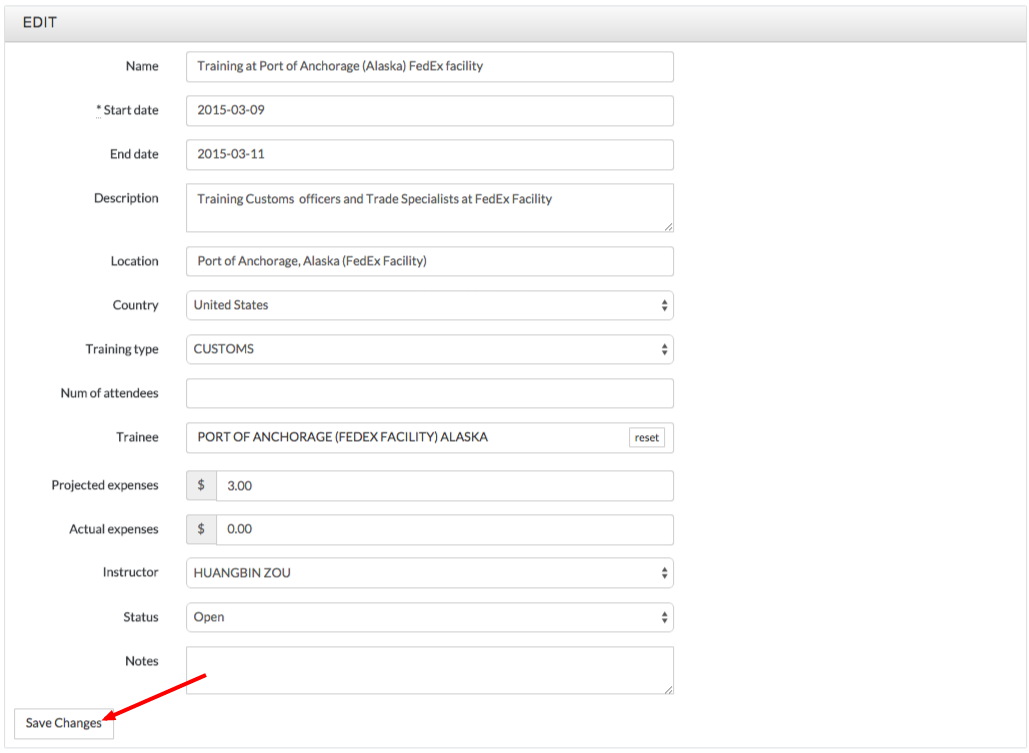
- Click the Save Changes button on bottom left of screen to save your changes
Comments